
Your pass and member code
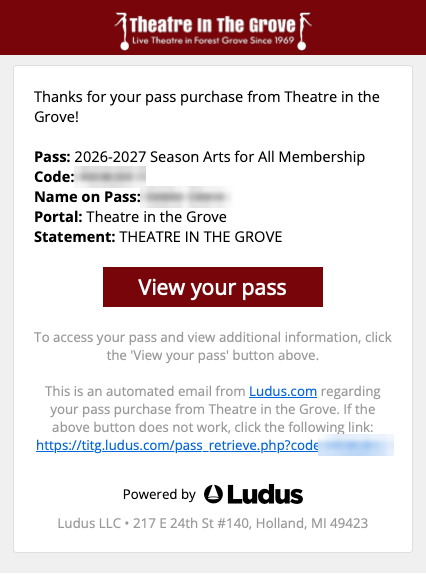
When you’re approved, Ludus, our ticketing system, emails you a “Pass order confirmation”. It says “purchase”, but your pass is free; you only pay for your tickets. In Ludus, your pass is called your Arts for All Membership.
Your member code (like P1234567) is in that email. Keep it handy: it’s how you sign in to buy $5 tickets.
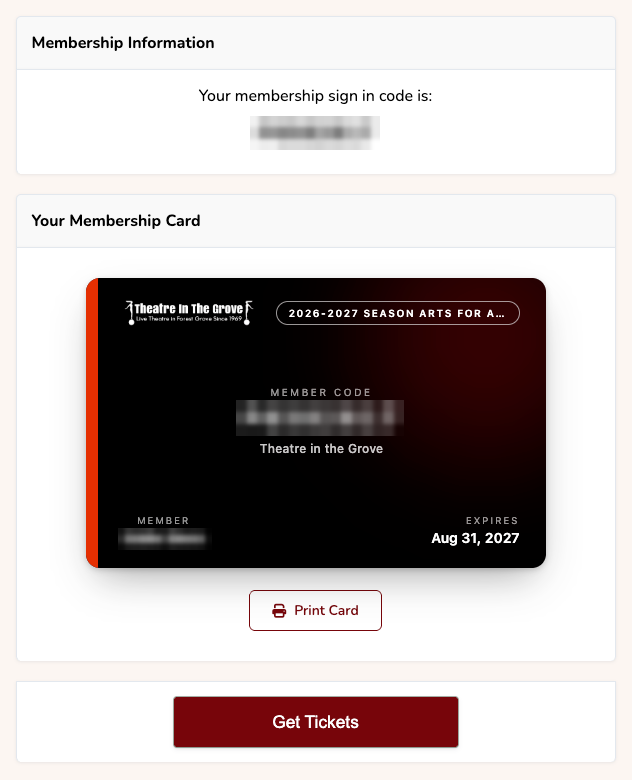
Click View your pass to see your membership card, with your member code and the date it expires. Print Card prints it, if you like paper. The Get Tickets button there takes you to our ticket site already signed in, so you can skip step 2 below.
Buy your $5 tickets
1. Go to our ticket site
Open our ticket site. It opens in a new tab, so these steps stay open.
2. Sign in with your member code
At the top, next to “Are you a Member or Pass Holder?”, click Sign In and enter your member code.

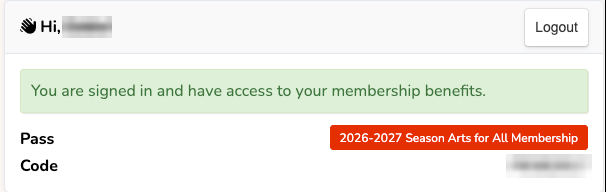
Already signed in? If you came from the Get Tickets button on your pass page, or signed in earlier, you’ll see this instead. Go straight to step 3.
3. Pick a performance
Every show this season is listed, so you can buy for the current show or a later one. Click Get Tickets next to the date you want.

4. Choose your seats
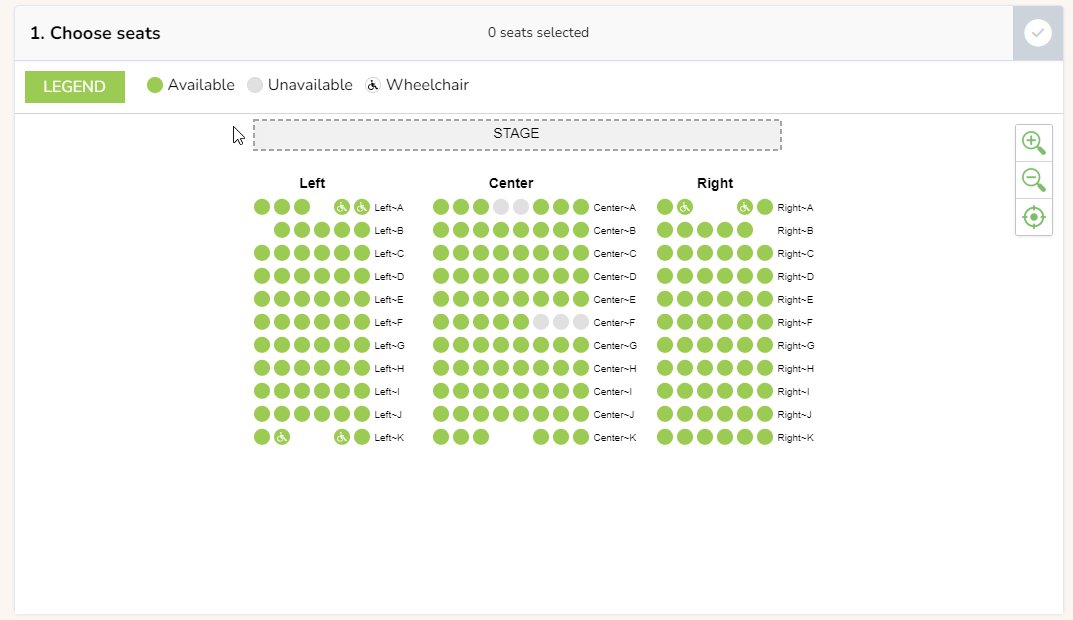
Green circles are available seats, and the stage is at the top. Spaces with the wheelchair symbol are accessible seating. Click a seat to select it (it turns yellow).
Important
5. Choose the $5 Arts for All ticket type
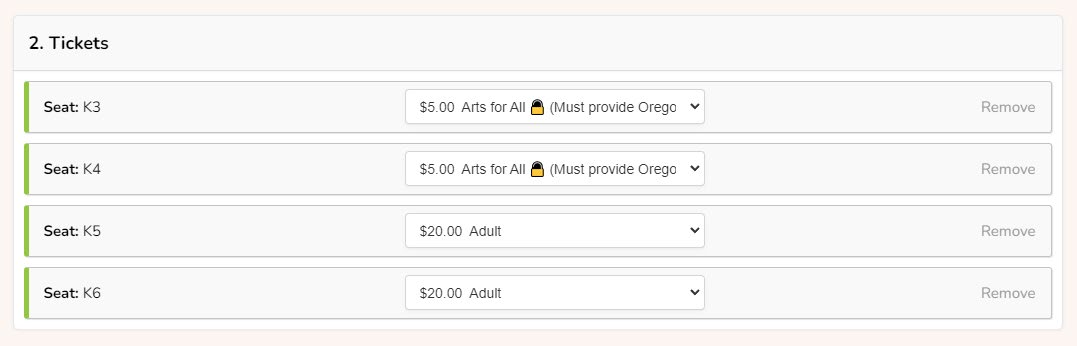
For each seat, pick Arts for All ($5) from the ticket-type list. Don’t pick one of the full-price types by mistake. (Don’t see Arts for All? You’re not signed in: go back to step 2.)

Buying more than 2 seats? Set two of them to Arts for All, and choose a regular ticket type for the rest.
6. Enter your contact details
You only do this the first time; it’s remembered after that. Then click Add to Cart.
7. Check your order
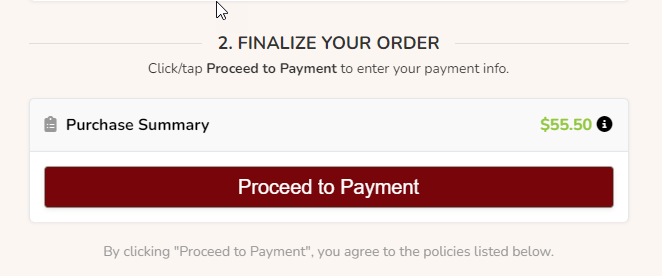
Check the seats and ticket types (up to two at Arts for All $5.00), then click Proceed to Payment.
8. Pay
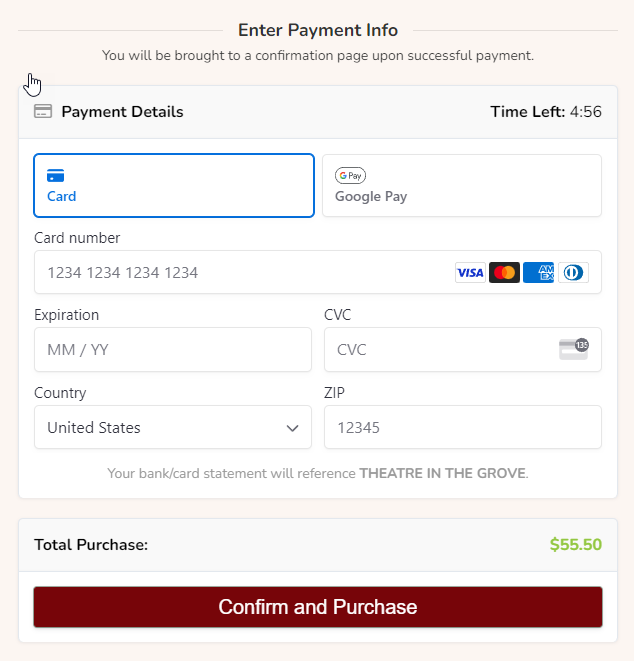
Enter your card details and click Confirm and Purchase. Then choose how to get your tickets: by email, by text, printed at home, or picked up at will call.
Good to know
- Up to 2 Arts for All tickets per Oregon Trail Card for each performance.
- Your pass works for every show this season. You don’t need to show your card, online or at the theatre.
- Your membership lasts until the end of the season (August 31). Each season, send us a new photo of your Oregon Trail Card to renew.
- You can’t pay with your Oregon Trail Card; use a credit or debit card.
- Questions? Call or text the box office at 503-342-8084, or email box-office@titg.org.